Reports
Know how it is going before you ask.
Today’s sales on the start page, details in the reports, and yesterday’s summary in your inbox every morning. All counted from closed bills, to the last cent.
For the owner
Today on your phone.
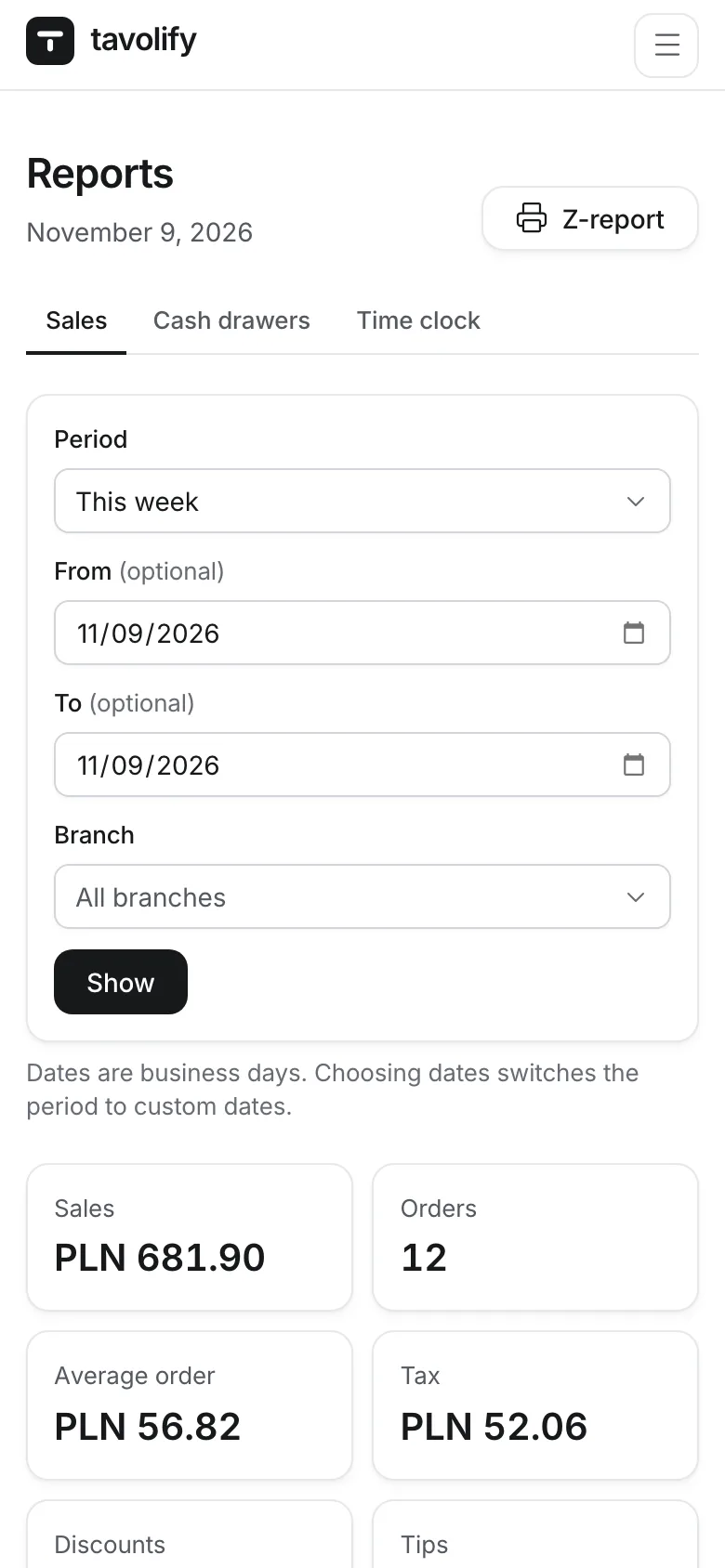
The admin works in your phone’s browser and can be added to the home screen. The start page shows sales against the same weekday last week, bills, the average bill, open bills, who is on shift and sales hour by hour.
- Compared with last week
- Who is on shift
- Sales by hour
- No app to install
End of day
Z report and a settlement for every shift.
A Z report per branch and business day, split by company, payment method and VAT rate, ready to print. Every cash shift has its own X and Z report: float, pay-ins, pay-outs, counted cash and the difference. The shift report can also arrive by email. The fiscal daily report is still printed by the fiscal printer.
- Printable Z report
- X and Z report per till
- Over and short
- Shift report by email
Every morning
Yesterday in your inbox.
Each morning the owner gets an email with yesterday’s sales, bills, discounts, refunds, voids, tips and best sellers. If you like, the AI assistant adds a short comment, based only on numbers the system worked out itself.
- Sent automatically
- Only days with sales
- Optional AI comment
- Switch off in settings
Numbers you can trust.
-
Things to check
When someone voids, refunds or discounts clearly more often than the rest of the team, the dashboard shows it with the numbers.
-
Hours worked
Each person’s hours from clocking in and out on the till.
-
Sales by company
With several tax numbers, reports and the Z report split sales by company.
-
Write-offs
Wasted goods listed apart, at sale value, without VAT and outside sales.
-
The past stays put
Reports are built from saved bills, so a new price or category never rewrites old days.
-
CSV export
Download any table in one click and open it in a spreadsheet or send it to your accountant.
Works well with
Run your venue on Tavolify this week.
Create an account, add your menu and connect your hardware. Or we show you the system with your own menu.
Free trial, no card needed.