Your whole restaurant in one system.
A till that keeps selling without internet, a kitchen display, a kiosk, QR menus, orders on your own website, and Uber Eats, Wolt and Glovo on one till. A simple monthly subscription.
30 days free. No card. No commission on orders.
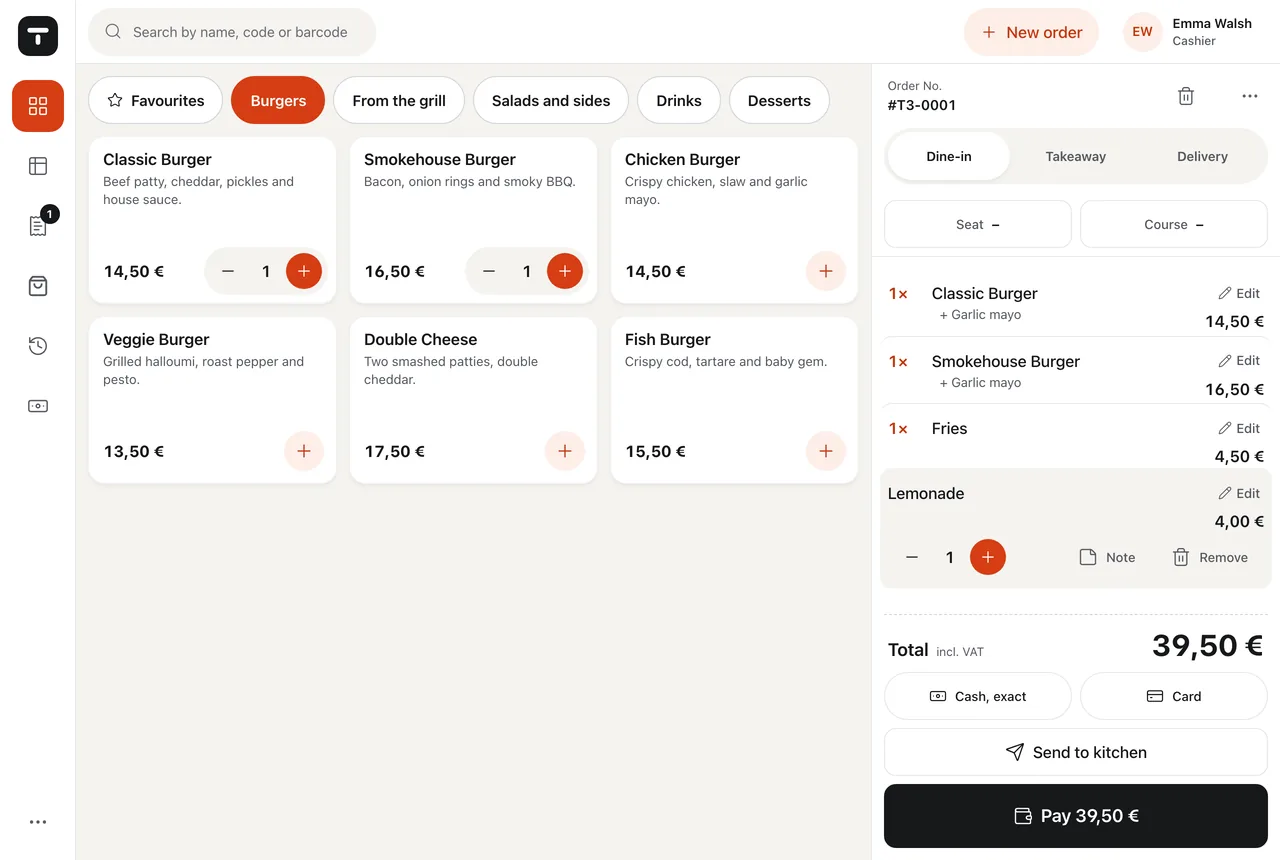
Less time at the till, fewer mistakes in the kitchen and more money from every order. Tavolify connects the till, the kitchen, the kiosk, online orders and the delivery apps, and keeps selling when the internet goes down.
What you get from day one.
-
Save time
Orders from the till, the kiosk, QR, your website and the delivery apps land in one place and go straight to the kitchen. Nobody retypes anything.
-
Keep more money
No commission on orders from your QR menu and your website, one monthly price, and a report of what each delivery app really costs you.
-
Fewer mistakes
The kitchen sees exactly what was ordered, with options and allergens. The fiscal receipt and KSeF invoices go out by themselves.
From order to pickup. No paper.
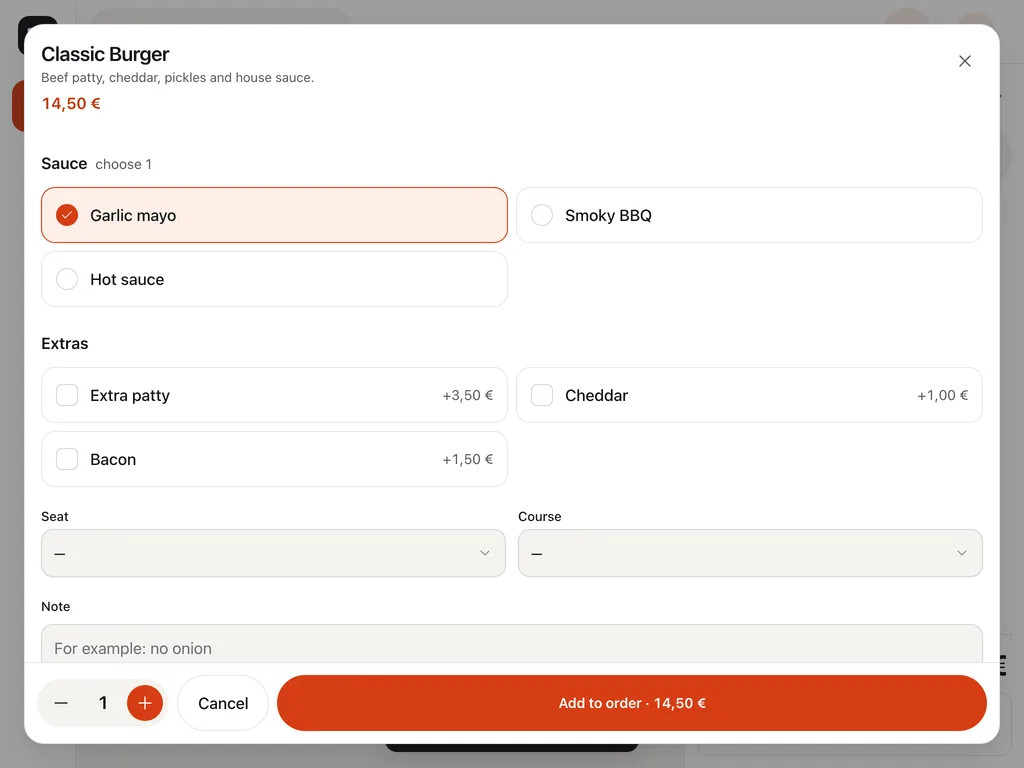
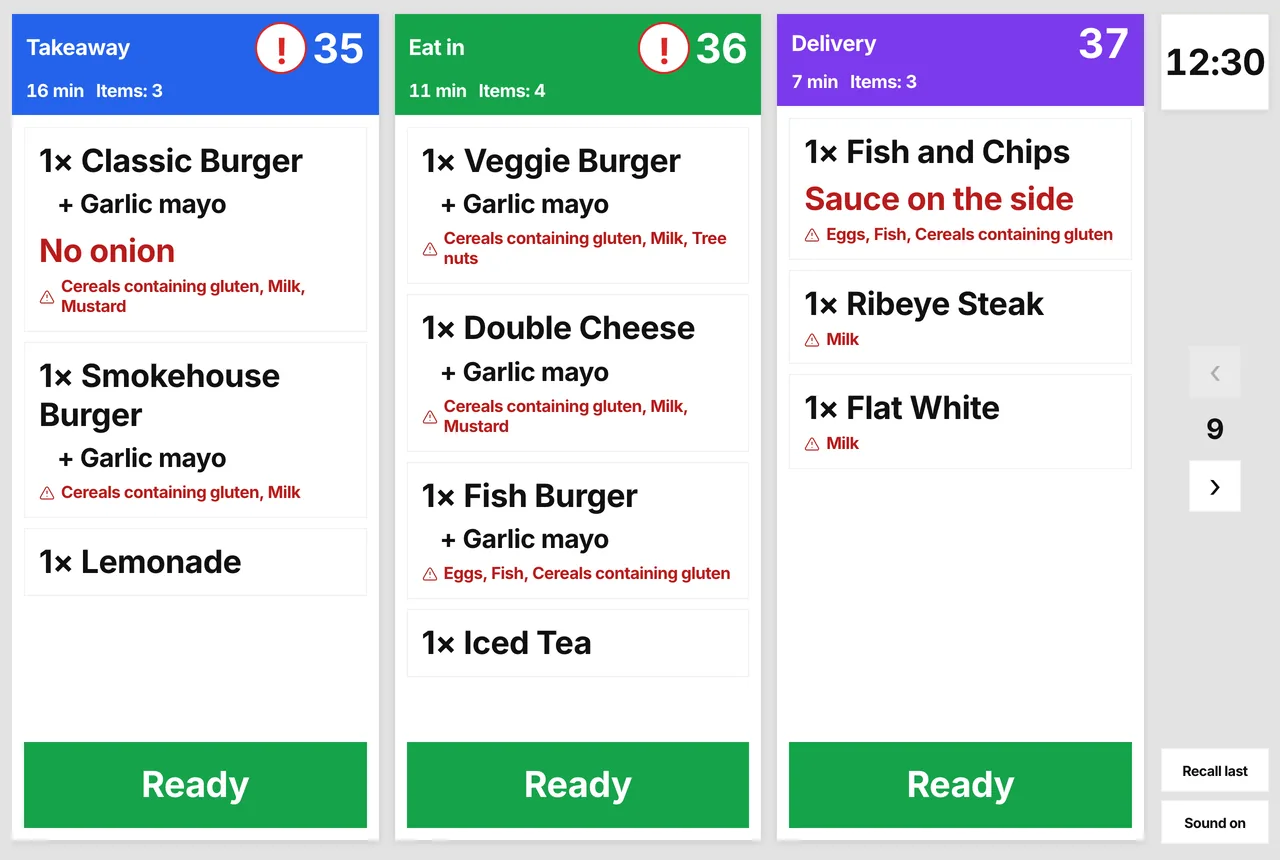
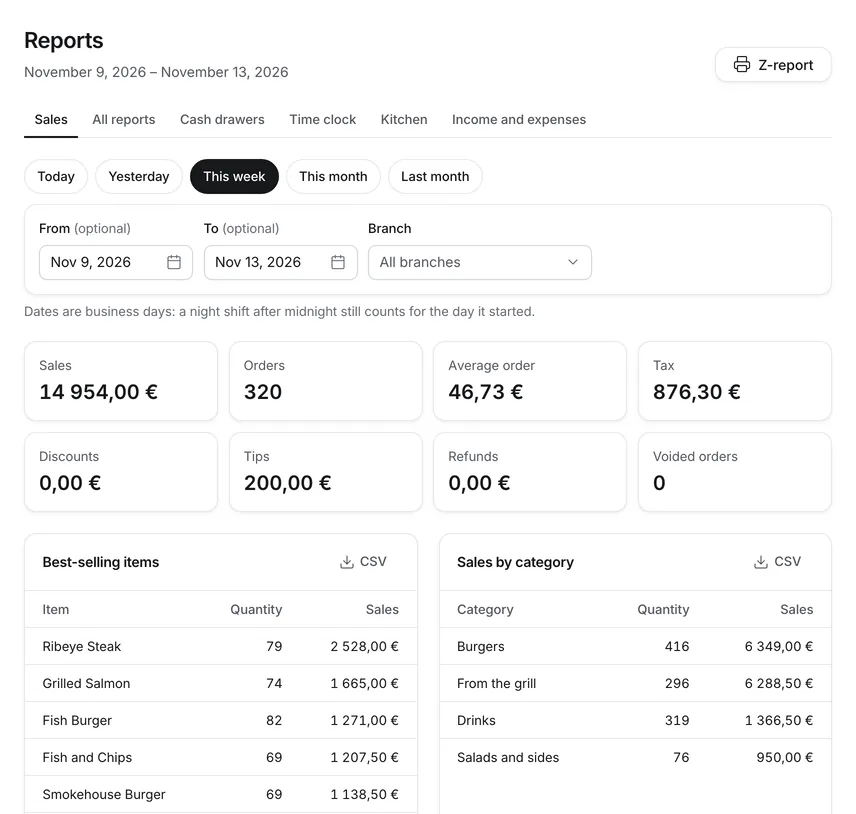
Everything a restaurant runs on.
POS
A fast till that never stops selling.
Large tiles, options in one tap, split bills and tables. When the internet goes down, the till keeps selling, takes cash and card, prints, and sends everything once the connection is back.
- Learned in minutes
- Works offline
- Tablet, PC, Sunmi
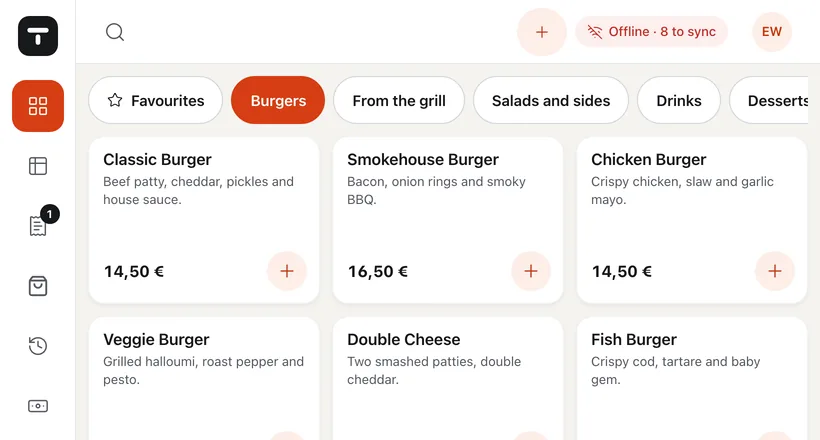
Fiscal printers
Polish fiscal printers and KSeF, done for you.
Elzab, Novitus and Posnet print the receipt after every payment. Invoices go to KSeF by themselves, supplier invoices arrive on their own, and a NIP fills in the company.
- Elzab, Novitus, Posnet
- KSeF e-invoices
- NIP from the VAT register
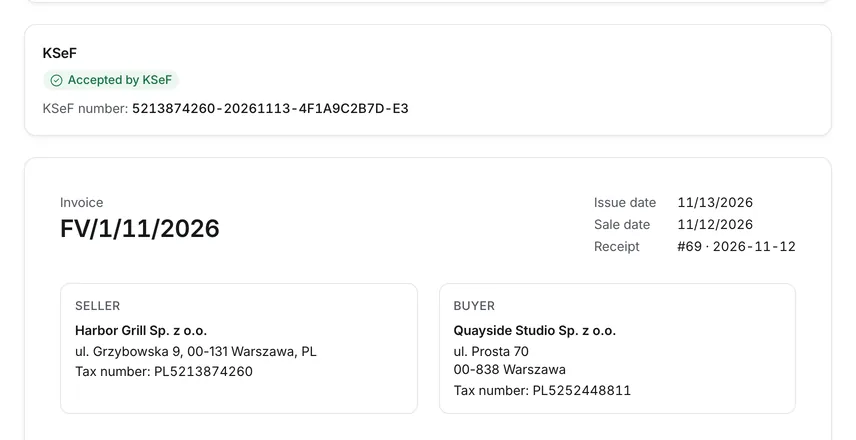
Self-order kiosk
A self-order kiosk that sells while you cook.
Guests order and pay on their own, in their language: by card on the terminal or at the counter. The order goes to the kitchen and the receipt prints on your fiscal printer.
- Many languages
- Card or at the counter
- Meal deals and extras
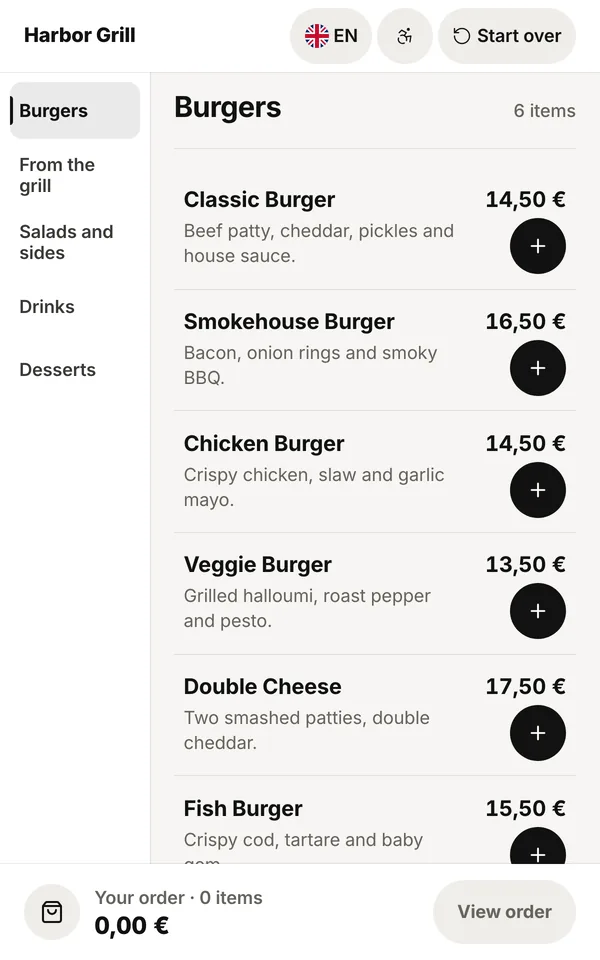
Online ordering
QR menu and orders on your own website. No commission.
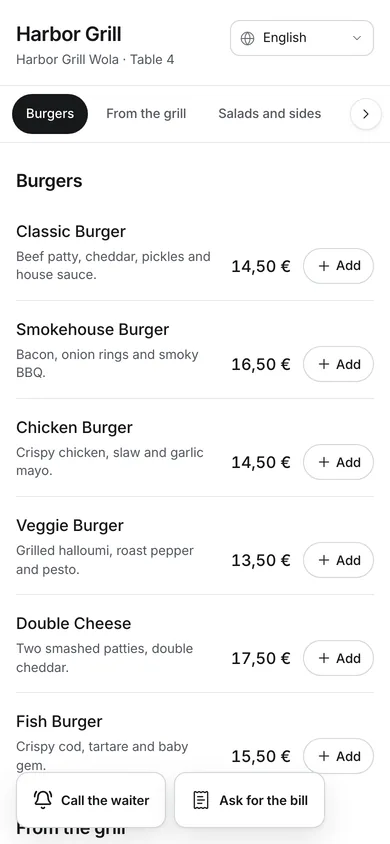
Guests order at the table with a QR code, or for pickup and delivery from your ordering page or your own website. Orders go straight to the till and the kitchen.
- QR at the table
- Pickup and delivery
- Your website via the API
Delivery apps
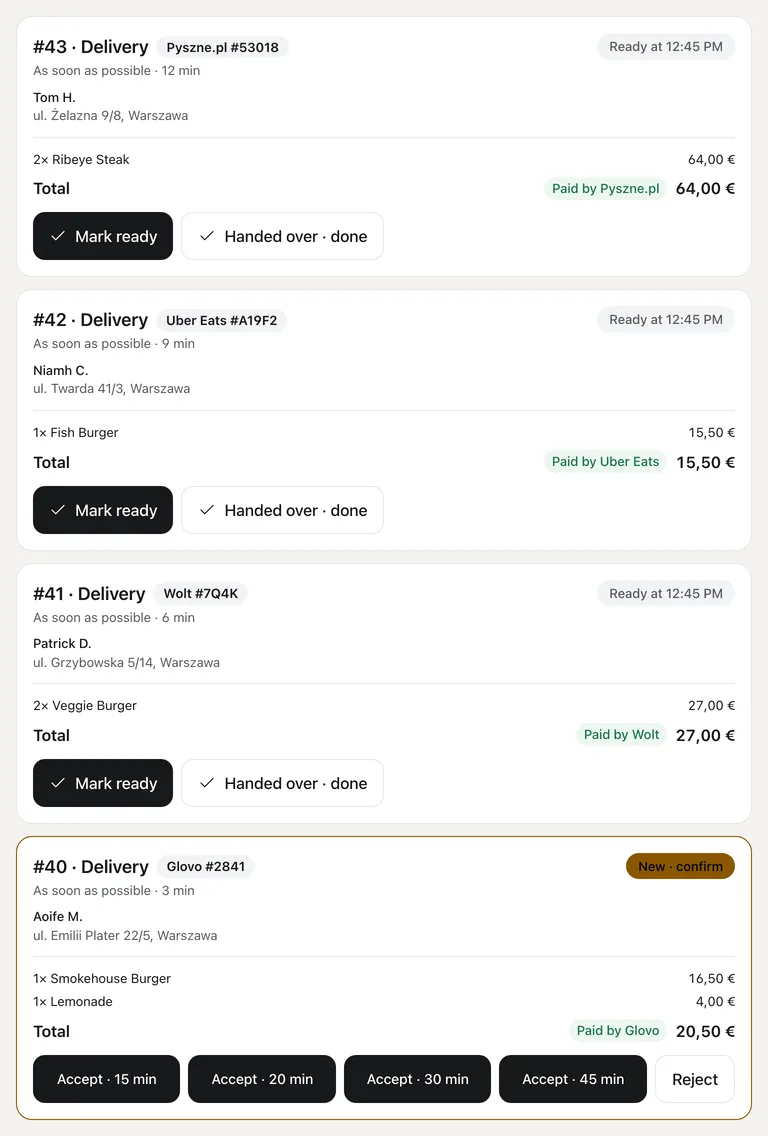
Uber Eats, Wolt, Glovo, Bolt Food and Pyszne on one till.
Through Choice, delivery-app orders land on the till and in the kitchen like any other order, with the platform’s number. The report shows what you keep after each commission.
- Through Choice
- Same number in the kitchen
- What you keep after commission
Kitchen display
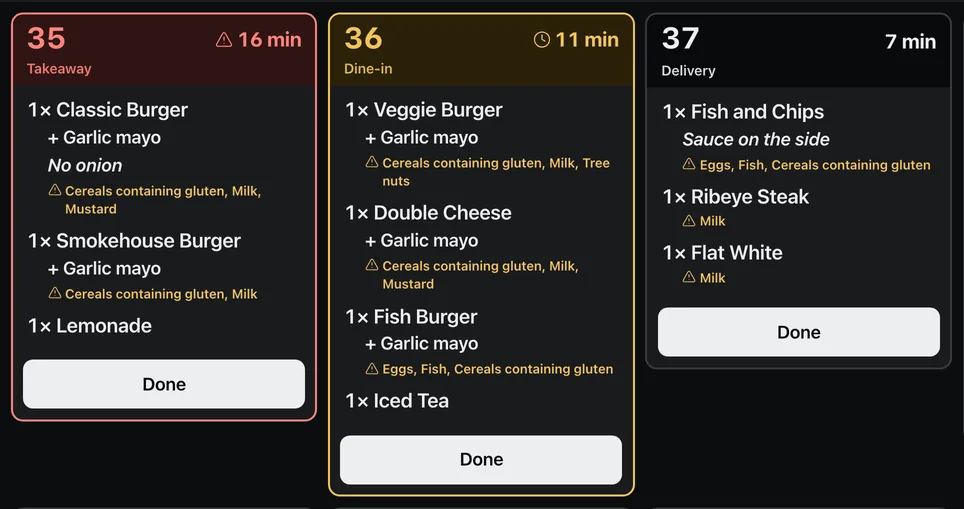
The floor, the kitchen and the guest see the same order
An order from the POS, from the QR code at the table or from the online page reaches the kitchen display within seconds. The guest follows its status on their phone.
Bring your guests back.
Bookings, a customer list and rewards in the same system as the till.
- Online reservations Guests book a table on your website, get a reminder and can pay a deposit. No double bookings.
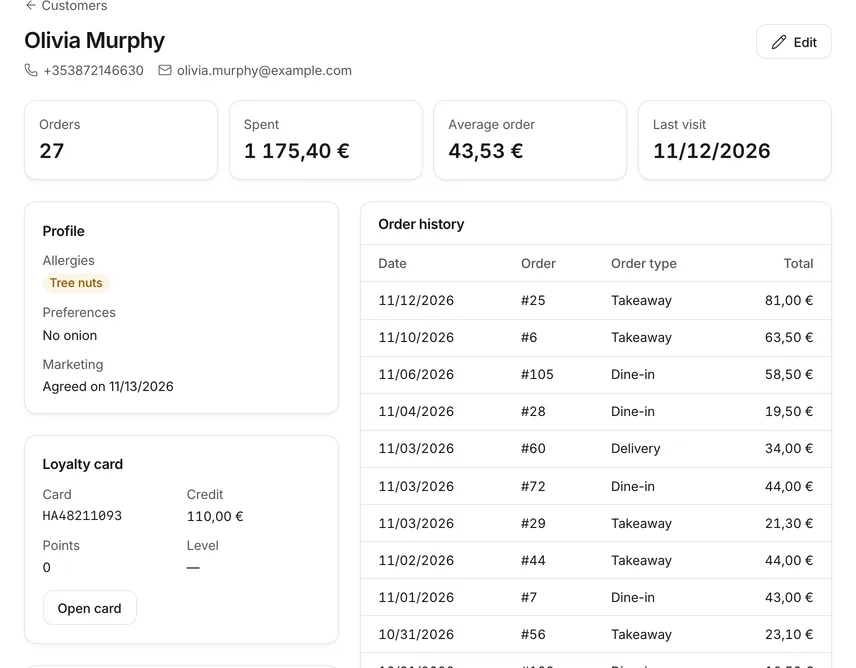
- Customers Every guest with their orders, card and consents. At the till you find them by phone or card number.
- Loyalty and gift cards Credit, points or stamps that pay part of the next bill, at the till and online. Gift cards too.
Run the business by the numbers.
From one location to many, from the till to your accountant.
- Detailed reports 16 reports for any period and branch: payments, items, staff, hours, VAT, discounts and shifts. Excel and CSV.
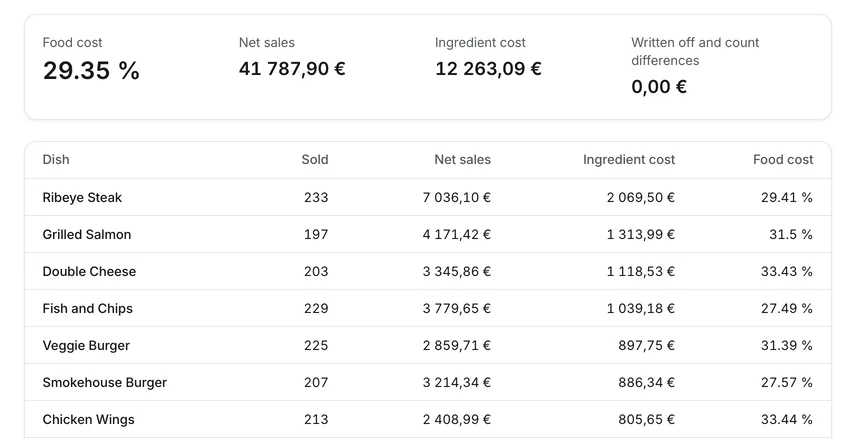
- Stock and food cost Recipes take the ingredients off with every sale. Low stock, counts, deliveries and the real cost of every dish.
- Branches and brands Several locations and several brands from one kitchen in one admin, each with its own menu, prices and ordering page.
- REST API Connect your website, apps or accounting. Orders, menu, loyalty and webhooks, with public documentation.
Coming soon
The owner app.
Orders, today’s sales and every report on your phone, wherever you are. For iPhone and Android.
See the app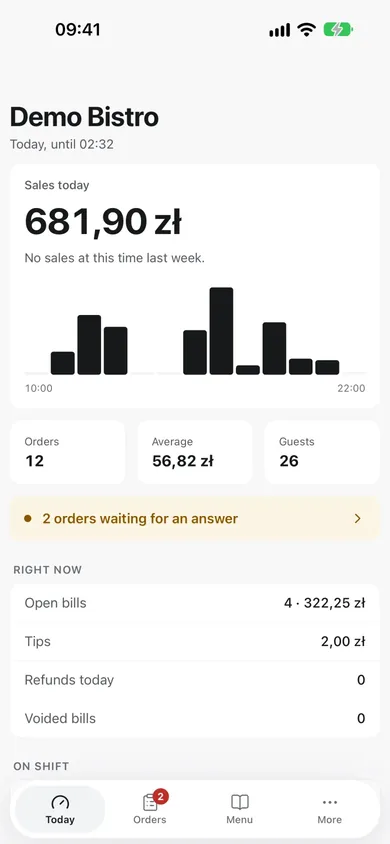
Every feature has its own page.
See exactly what it does and how it looks.
- POS Fast selling on tablets, computers and Sunmi terminals.
- Offline mode The till keeps selling when the internet drops.
- Tables and floor Floor plan, bills on tables and courses to the kitchen.
- Reservations Online table bookings, deposits, reminders and a waitlist.
- Payments Cash, card, vouchers and tips on one screen.
- Fiscal printers Receipts on Elzab, Novitus and Posnet printers.
- Kitchen display Orders from the till, QR and online on one kitchen screen.
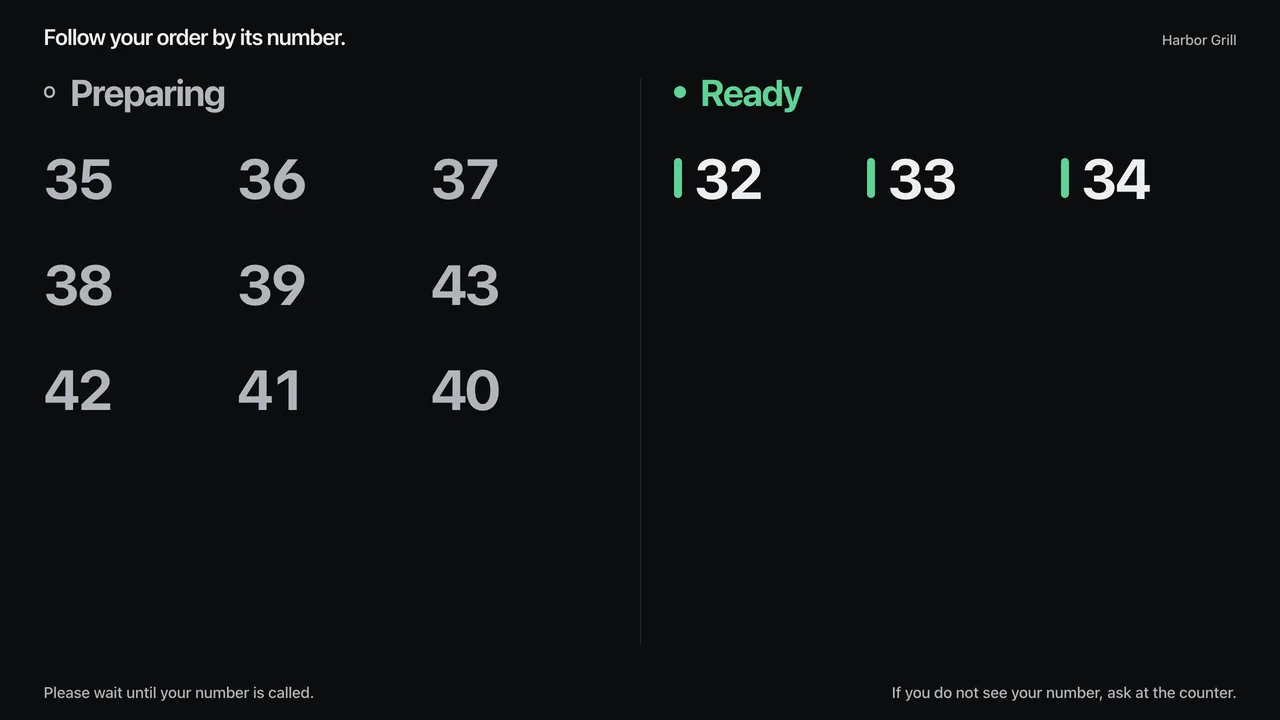
- Order-ready board “Preparing” and “Ready” numbers on a TV for guests.
- Self-order kiosk Guests order and pay on their own, and the order goes straight to the kitchen.
- QR menu Guests order from their phone straight to the kitchen.
- Online ordering Your own pickup and delivery page, no commission on orders.
- Delivery apps Wolt, Bolt Food, Uber Eats and more: orders, payments and commissions.
- Menu and prices One menu for the till, the QR menu, online orders and the kitchen.
- Stock Recipes, stock levels, deliveries, counts and real food cost.
- Reports Sales, cash shifts and hours worked, on your phone too.
- Staff and permissions Roles, PINs, staff cards and hours worked.
- Loyalty and gift cards A regular-guest card with credit, points or stamps, and gift cards.
- Accounting Cost invoices, payments, due dates and regular costs in one place.
- KSeF e-invoices Sales invoices to KSeF, and supplier invoices from KSeF every 15 minutes.
- Multiple locations Branches, a shared menu, several companies and brands.
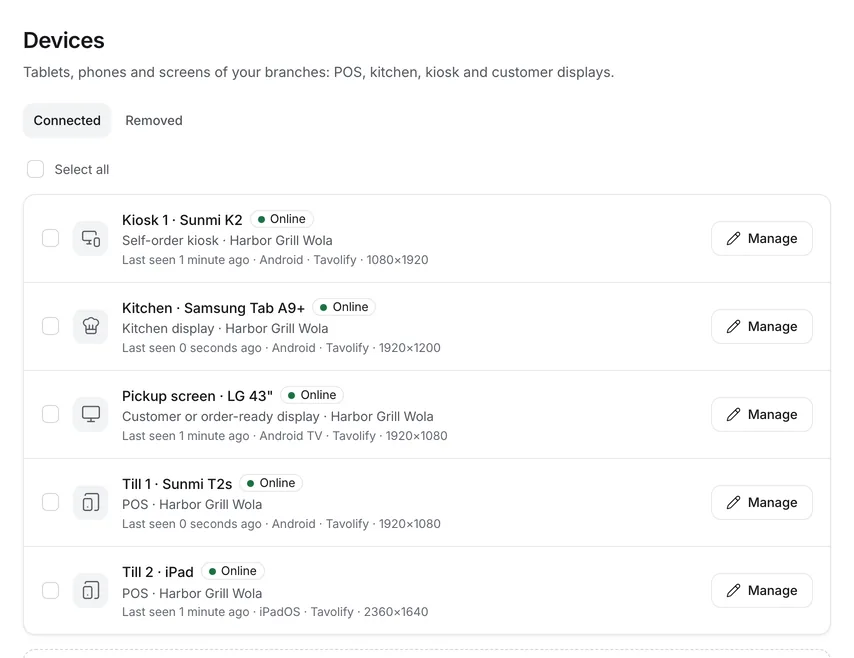
- Hardware Tablets, computers, Sunmi, printers, scales and scanners.
- Switching systems Menu, customers and sales history from Dotykačka, GoPOS and others.
- REST API Connect your website, apps and accounting to the till and the kitchen.
- AI assistant Menu from a photo and a short comment on the day’s results.
Runs on the hardware you already have.
The tablets, computers, Sunmi terminals and phones you already have. Our Android app prints receipts and connects your fiscal printer, card terminal, scale and scanner.
- Sunmi
- Android tablets
- iPad
- Windows and Mac
- Phones
- Receipt printers
- Elzab, Novitus, Posnet
- Card terminals
- Scales and scanners
Switching systems
Move from Dotykačka or GoPOS in one afternoon.
Menu, prices, VAT rates, customers, staff and sales history. Preview first, then import, and undo in one click if something is off.
More about Switching systems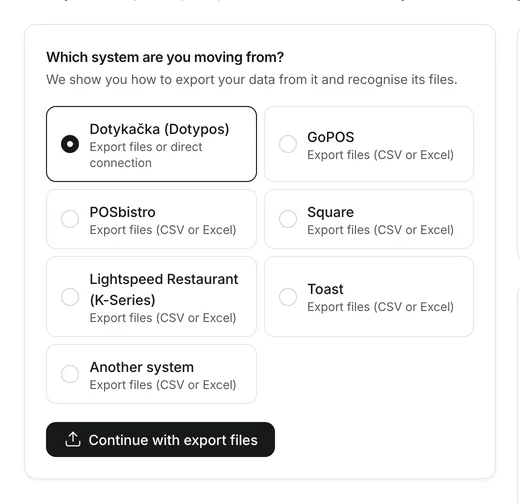
A simple subscription. No commission.
One monthly price per venue. 30 days free, no card.
-
Start
For a café or a small kitchen: a till that sells offline too, a fiscal printer, a QR menu to view and daily reports.
89,00 zł / month · net
or 890,00 zł a year 2 months free
- Locations1
- Devices (tills and screens)2
- Staff accounts5
- AI assistant
- Menu readings from photos or PDF3 a month
-
Pro
RecommendedThe full restaurant: guests order from the table and on your own online page without commission, the kitchen works from a screen, an order-ready board calls numbers.
169,00 zł / month · net
or 1 690,00 zł a year 2 months free
- Locations1
- Devices (tills and screens)6
- Staff accounts25
- Ordering from the table by QR code
- Your own online ordering page for pickup and delivery
- Kitchen display
- Order-ready board and customer display
- Accounting: purchase invoices, payments and regular costs
- Loyalty cards, credit and gift cards
- AI assistant
- Menu readings from photos or PDF30 a month
-
Multi
Up to 3 locations in one account: everything in Pro, unlimited staff, several companies with their own tax numbers, API and webhooks.
349,00 zł / month · net
or 3 490,00 zł a year 2 months free
- Locations3
- Devices (tills and screens)20
- Staff accountsunlimited
- Ordering from the table by QR code
- Your own online ordering page for pickup and delivery
- Kitchen display
- Order-ready board and customer display
- Several companies (tax numbers)
- API and webhooks
- Accounting: purchase invoices, payments and regular costs
- Loyalty cards, credit and gift cards
- AI assistant
- Menu readings from photos or PDF100 a month
- Self-service kiosk
- Kitchen display Pro
- Inventory with recipes
- Reservations and waitlist
Every plan includes
- Till for tables, takeaway and delivery
- Keeps selling without internet
- Fiscal printer connection
- QR menu to view at the table
- Sales reports, X and Z reports
- Receipts and VAT invoices for companies, sent to KSeF
- Menu import from a file or another POS
- Unlimited orders, no commission
Prices are net; 23 % VAT is added.
Questions
Do I need new hardware?
No. It runs in the browser on tablets, computers and phones, and as an app on Android POS terminals such as Sunmi.
What happens without internet?
The POS keeps selling, takes cash and prints receipts. When the internet is back, everything syncs automatically.
Can I cancel any time?
Yes. The subscription is monthly; after cancelling you keep using it until the end of the paid period, and your data stays.
Which fiscal printers do you support?
Elzab, Novitus and Posnet. The receipt prints by itself after every payment, even without internet. Before you start, we check your printer model with you.
Do you work with Uber Eats, Wolt and Glovo?
Yes. Through Choice, orders from Uber Eats, Wolt, Glovo, Bolt Food and Pyszne land on the till and in the kitchen like any other, and the report shows what you keep after commission.
Do you take a commission on online orders?
No. You pay only the subscription. Orders from the QR menu and your online page carry no commission.
Can I move my data from Dotykačka or GoPOS?
Yes. You import the menu, prices, VAT rates, customers, staff and sales history from export files. You see a preview first, and the import can be undone.
Can I track cost invoices and payments?
Yes, in Accounting. Suppliers’ invoices arrive from KSeF by themselves, paper ones you scan or type in. You record payments, part payments too, due dates and regular costs, and you get an e-mail reminder in the morning when a due date is close.
How long does it take to start?
A setup guide walks you through the company, menu, tables, staff and devices step by step. A small venue usually finishes it in one afternoon.
Where is my data stored?
On a server we run ourselves, with a daily backup. Who processes the data and where is described in the privacy policy and the data processing agreement.
Run your venue on Tavolify this week.
Create an account, add your menu and connect your hardware. Or we show you the system with your own menu.
Free trial, no card needed.