Kitchen display
The kitchen sees everything before the bell rings.
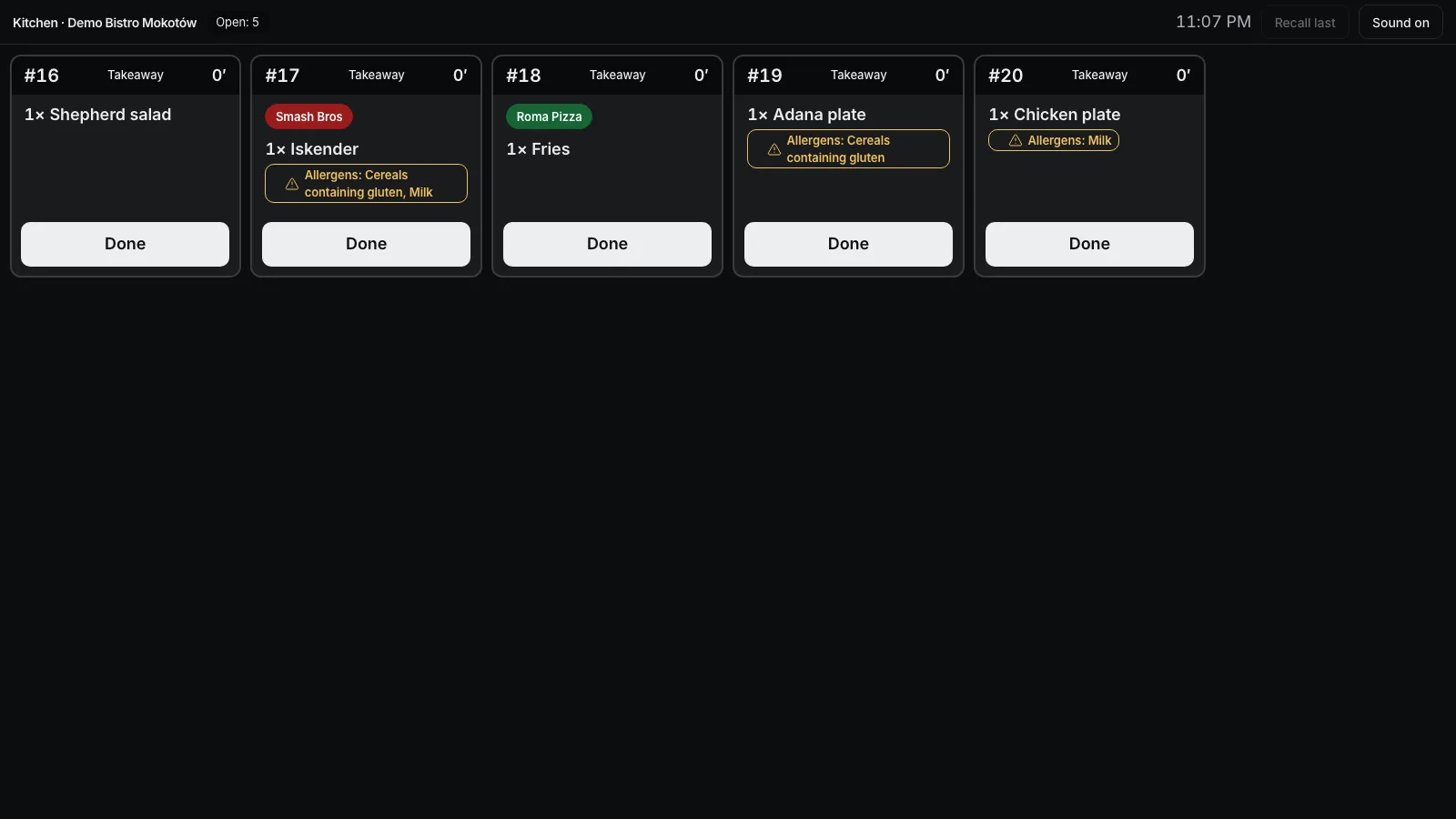
Orders from the till, the QR menu and the online page land on one screen. Large names, notes and allergens in red, the time on every ticket and one “Ready” button.
A new order
The ticket appears by itself, with a sound.
Items sent from the till become a kitchen ticket with sizes, options, notes and allergens. A new order appears within seconds, with a sound. Online and QR orders can require a tap on “Seen”, and the alarm repeats until then.
- New-ticket sound
- Allergens and notes
- “Seen” for online and QR
- Courier or pickup
Themes
Calm, bright or night.
The calm theme follows the light or dark look, and colour shows the waiting time. Bright cards and night have large tickets side by side, a header in the order type’s colour. The order type is always written on the ticket, so colour is never the only signal.
- Three themes
- Colour by order type
- Time as text
- Full-screen view
Settings
Every screen set up on its own.
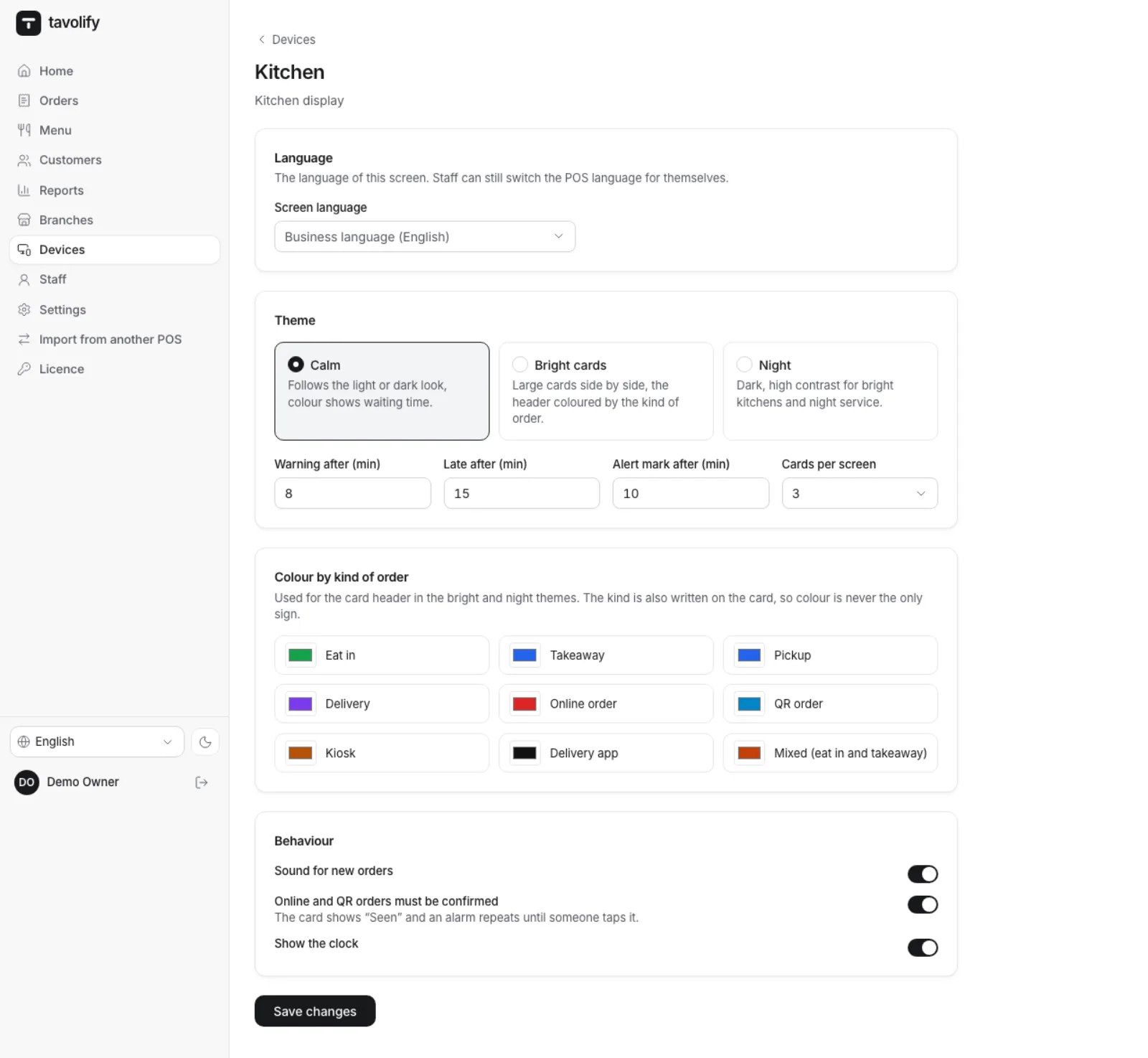
In the admin panel you choose each screen’s language, theme, warning and late minutes and the number of cards per screen. Change the order-type colours to suit your kitchen. Allergens on tickets are shown by name in the screen’s language, and the new-order sound can be switched off per screen.
- Screen language
- Warning minutes
- Your own colours
- New-order sound
Made for the kitchen at rush hour.
-
Ready and undo
One tap clears a ticket, and “Recall last” undoes a mistake.
-
Waiting time
Minutes on every ticket and a clear mark when an order waits too long.
-
Cancelled items
An item cancelled after sending is struck through in red and comes back on screen.
-
Brands
With several brands from one kitchen, every ticket carries the brand’s badge.
-
Sound
A signal for each new ticket, which can be muted.
-
Without internet
The screen needs the internet; without it, the till keeps printing tickets on the kitchen printer.
Works well with
Run your venue on Tavolify this week.
Create an account, add your menu and connect your hardware. Or we show you the system with your own menu.
Free trial, no card needed.