Order-ready board
Guests watch the screen, not the counter.
When the kitchen taps “Ready”, the number moves to the ready column and the screen can call it out. The counter gets calmer, and nobody has to shout numbers.
Straight from the kitchen
The number changes column by itself.
The board shows the branch’s orders of the day straight from the kitchen display. When “Ready” is tapped, the number moves to the ready column and stays there for 10 minutes. If you want, the whole screen turns into a large green number with a chime for a few seconds.
- No staff needed
- Full-screen call
- Chime
- Ready for 10 minutes
Languages
It speaks your guests’ language.
Every screen has its own language, and the texts can take turns, for example 50 seconds in English and 10 in Polish. The number is called out in the language shown at that moment. You can change every text on the screen for each language.
- Up to 4 languages in turn
- Spoken call-out
- Your own texts
- Calm or bright theme
Banner and messages
The screen works even when nobody waits.
A banner with a title, text and QR code can sit at the bottom, for example for a loyalty card. When there are no orders, the screen shows up to four messages with a QR code in turn, such as a request for a review.
- Banner with QR code
- Messages in quiet times
- Numbers per column
- Hide delivery-app orders
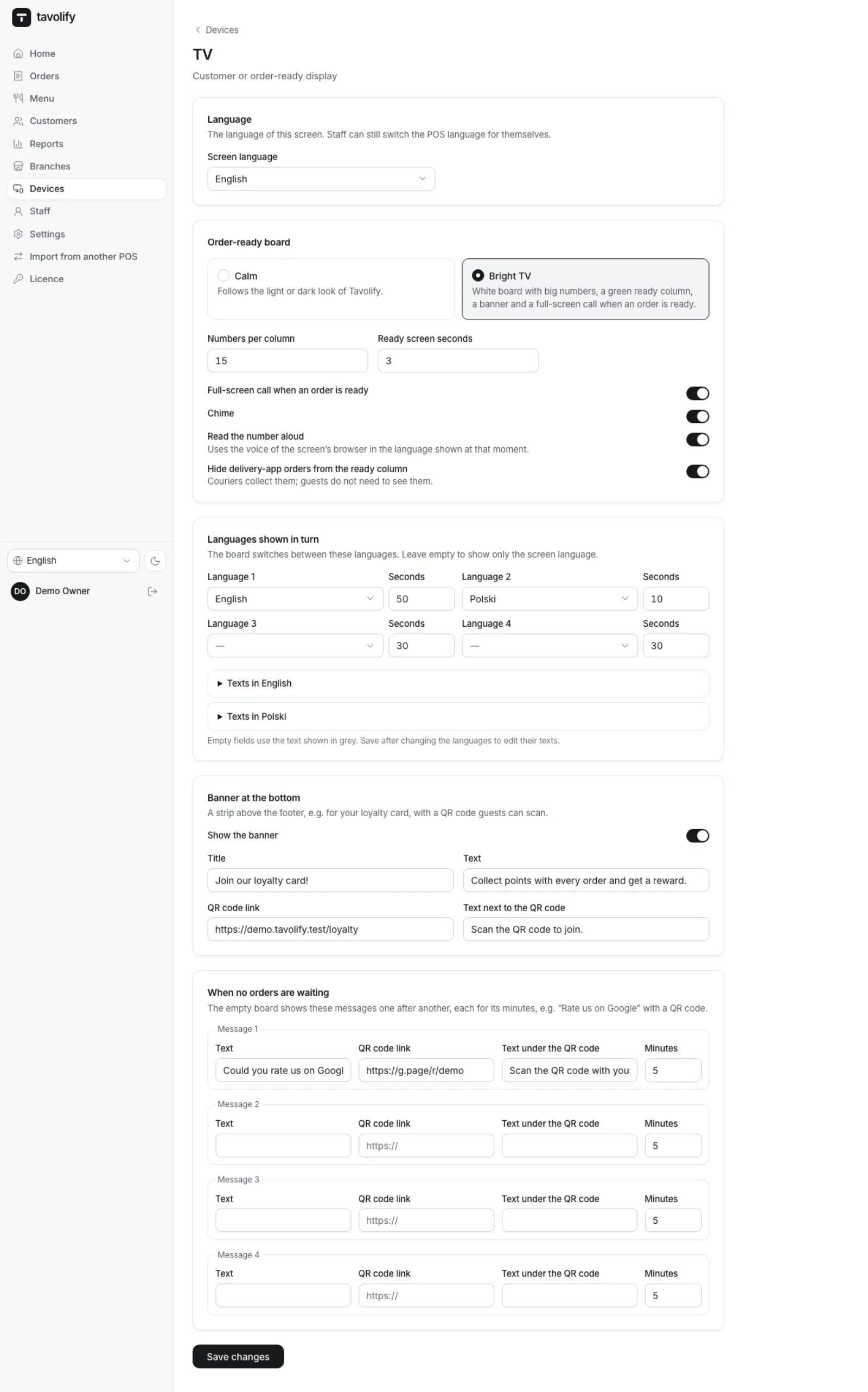
One TV, two jobs.
-
Any TV
A browser on a TV, computer or tablet is enough, paired with a code from the admin panel.
-
Voice and chime
After one tap on “Sound on”, the screen plays a chime and reads the number.
-
Numbers per column
You choose how many numbers each column shows, so they stay easy to read on any screen.
-
Delivery-app orders
Hide orders from delivery apps, because couriers collect them.
-
Customer display
The same screen can stand at the till and show the guest their bill and total.
-
Pictures and videos
While the bill is empty, the customer display shows your pictures and videos.
Works well with
Run your venue on Tavolify this week.
Create an account, add your menu and connect your hardware. Or we show you the system with your own menu.
Free trial, no card needed.