Fiscal printers Beta
A fiscal receipt after every payment.
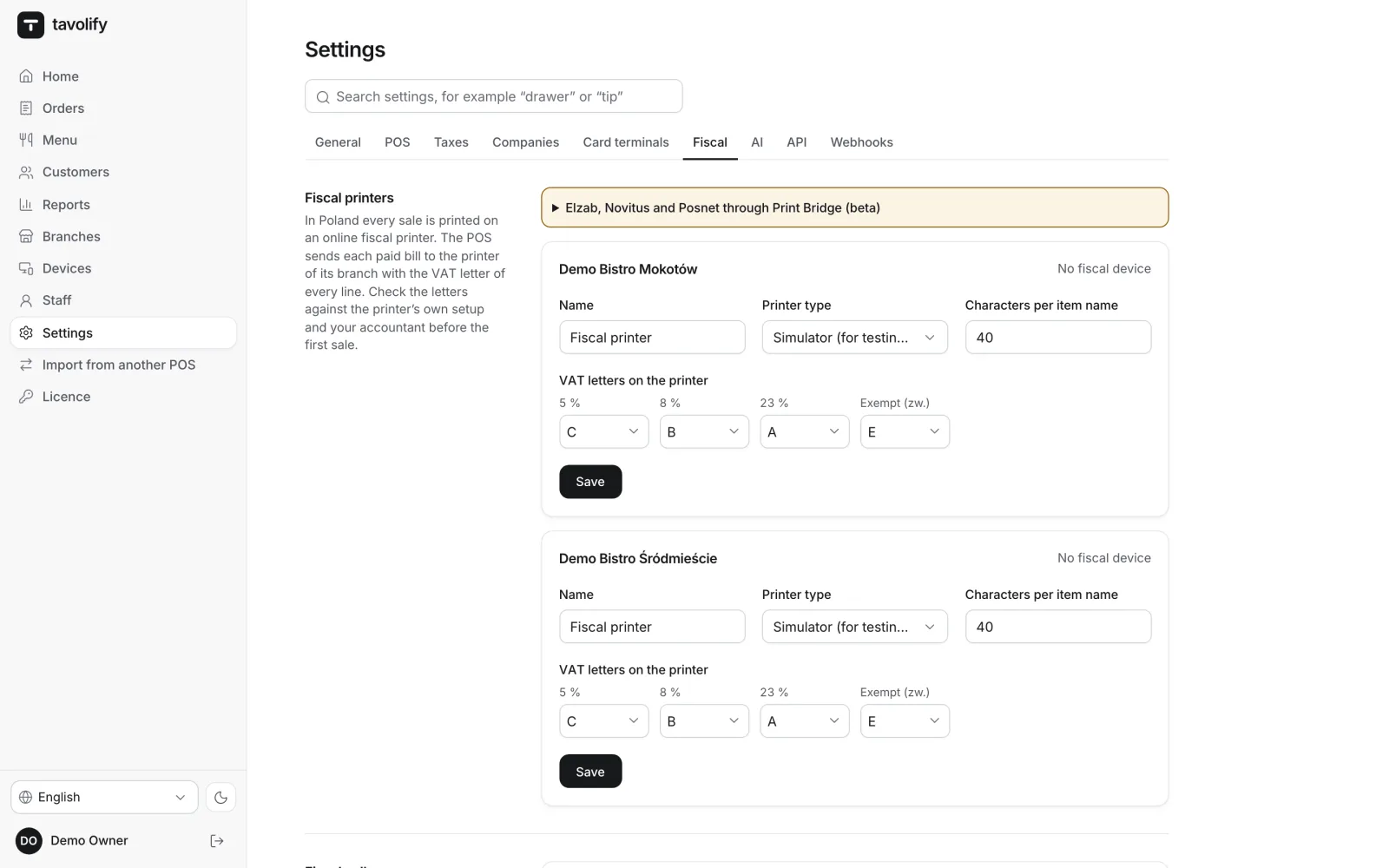
When a bill is paid, the till sends it to the branch’s fiscal printer by itself, with the VAT letter of every line. This works without internet too, because the printer is in the restaurant.
Beta: this works with the printers’ published protocols and is being tested in a restaurant. Before you rely on it, we check your printer model with you.
Printers
Elzab, Novitus and Posnet.
The printer connects to the till directly: in the Android app over the network or USB, in the browser over USB, and on a computer also through Print Bridge, a small app on the till computer. Support is in beta: before you start, we check your printer model with you.
- Elzab
- Novitus
- Posnet
End of day
Daily report and Z report.
Start the fiscal printer’s daily report from the staff menu on the till. Alongside, Tavolify keeps its own Z report for every shift and every day: sales, discounts, tax by company and payment methods. The Tavolify Z report is not a fiscal document, but a summary to compare with the printer.
- Daily report from the till
- Shift and day Z report
- Tax by company
- Payment methods
Linked to the till
Our receipt first, then the fiscal one.
After payment the fiscal printer first prints our receipt: the header, the order number for the pickup board, the items, the total, the customer and the loyalty card with what the bill earned and the points balance. The fiscal receipt follows right after. When the fiscal printer is the only printer, it also prints pre-bills and kitchen tickets as non-fiscal printouts.
- Order number
- Customer and points
- Pre-bills
- Kitchen tickets
Fiscal printing you do not have to think about.
-
VAT letters
Fixed letters A–E for 23, 8, 5 and 0 percent and exempt; set other rates yourself.
-
Never twice
If the connection breaks halfway, the till asks the printer whether the receipt came out before trying again.
-
Buyer tax number
On Elzab printers the NIP goes on the receipt; with others the till suggests an invoice.
-
Clear messages
Paper out, an overdue daily report or VAT letters that differ: the till says what to do and lets you print the receipt again.
-
A printer per branch
Each branch has its own printer, name and item-name length.
-
Training mode
In training mode nothing goes to the fiscal printer.
Works well with
Run your venue on Tavolify this week.
Create an account, add your menu and connect your hardware. Or we show you the system with your own menu.
Free trial, no card needed.