Multiple locations
A second location without a second system.
All branches in one admin. You keep one menu, and each location has its own prices, hours, devices and people.
Menu
One menu, local differences.
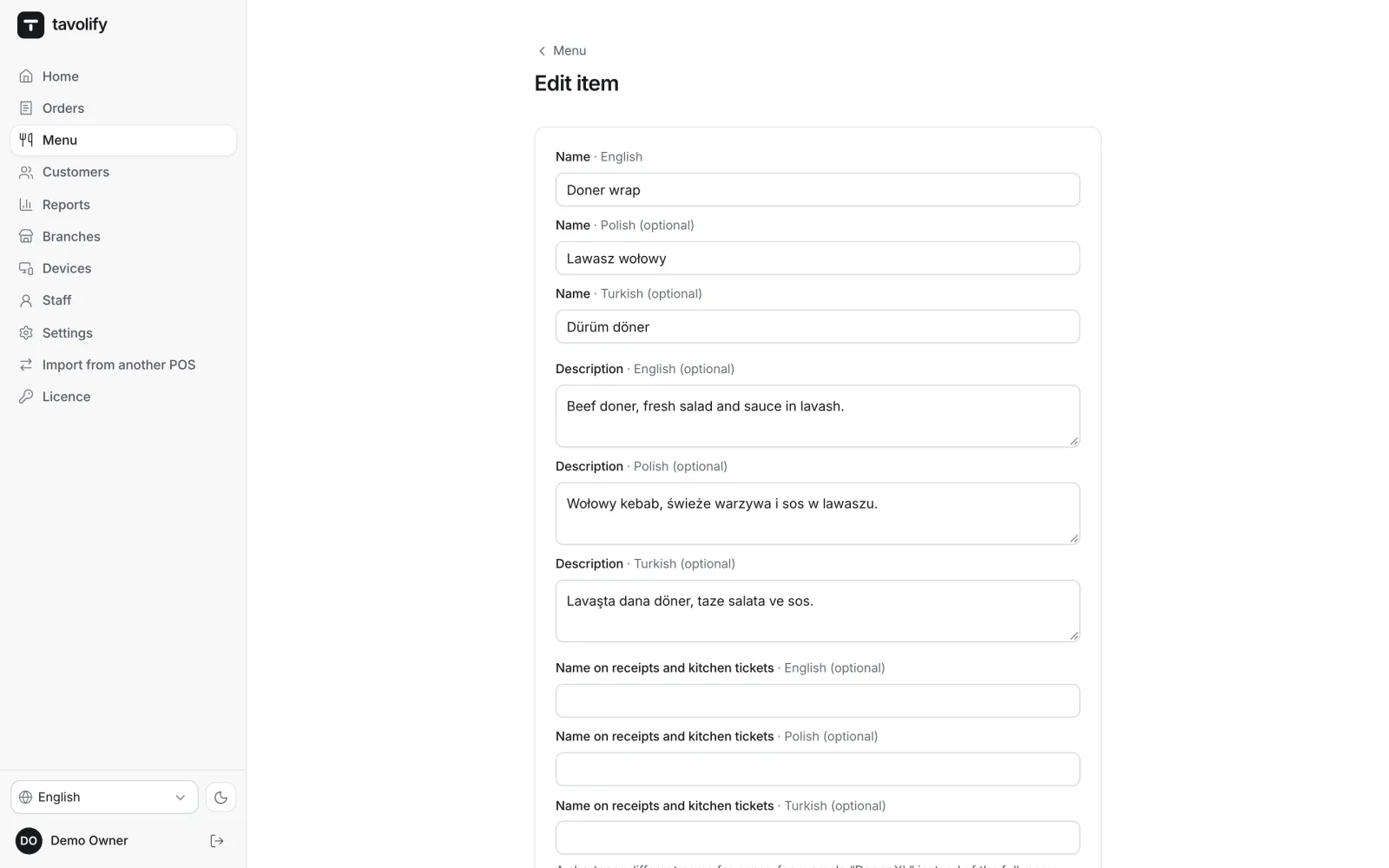
You create an item once. In a chosen branch you can give it another price, stop selling it or mark it sold out. A menu change reaches the tills, QR menus and ordering pages of every branch.
- Branch price
- Sold here
- Sold out in one location
- Promotions for chosen branches
Companies and brands
Several tax numbers and brands on one till.
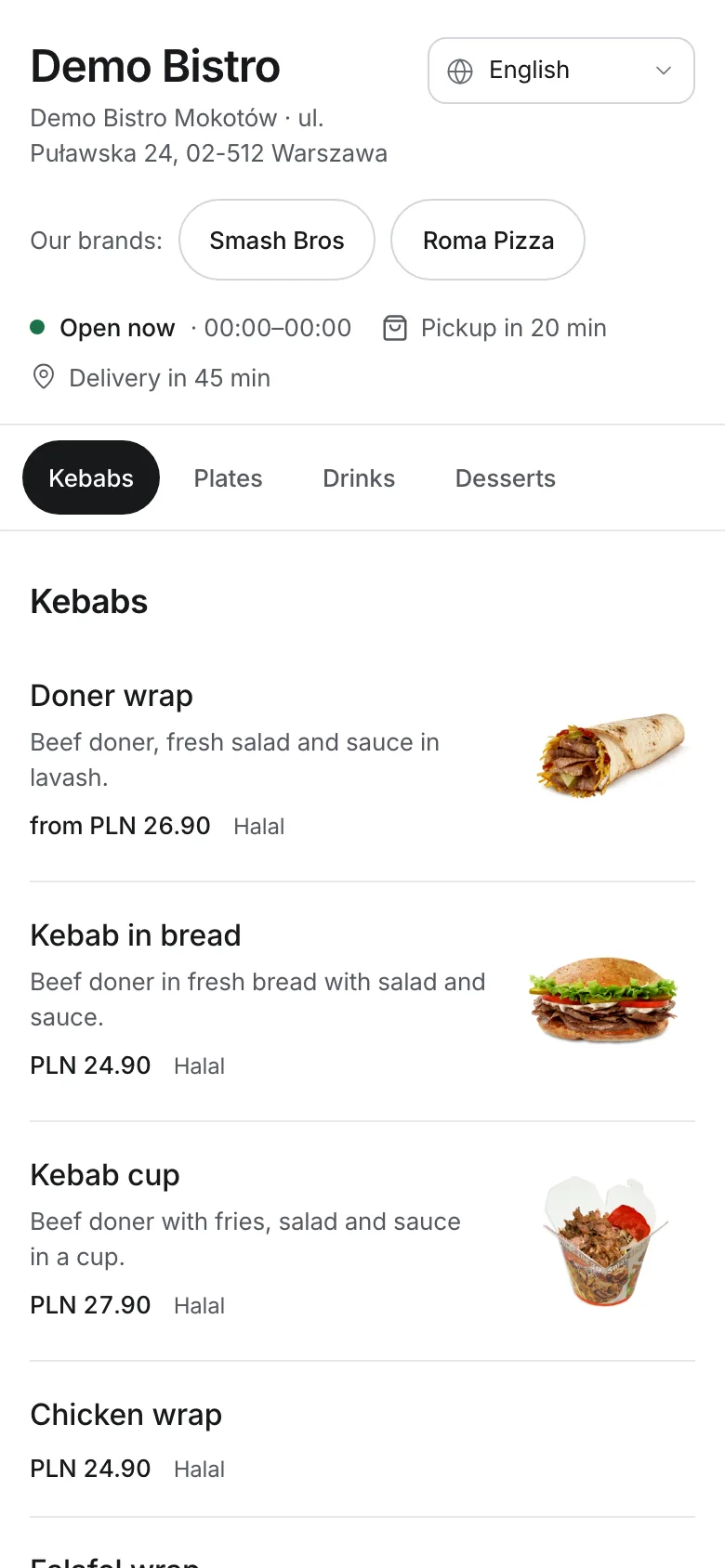
A restaurant and a shop, two companies or several brands from one kitchen. An item, category or branch can belong to another company, and invoices, digital receipts and the Z report show the right details. Brands have their own menu, prices, logo on printouts and ordering page.
- Several companies
- Split in the Z report
- Brands with their own menu
- Brand logo on printouts
Reports
The whole group or one location.
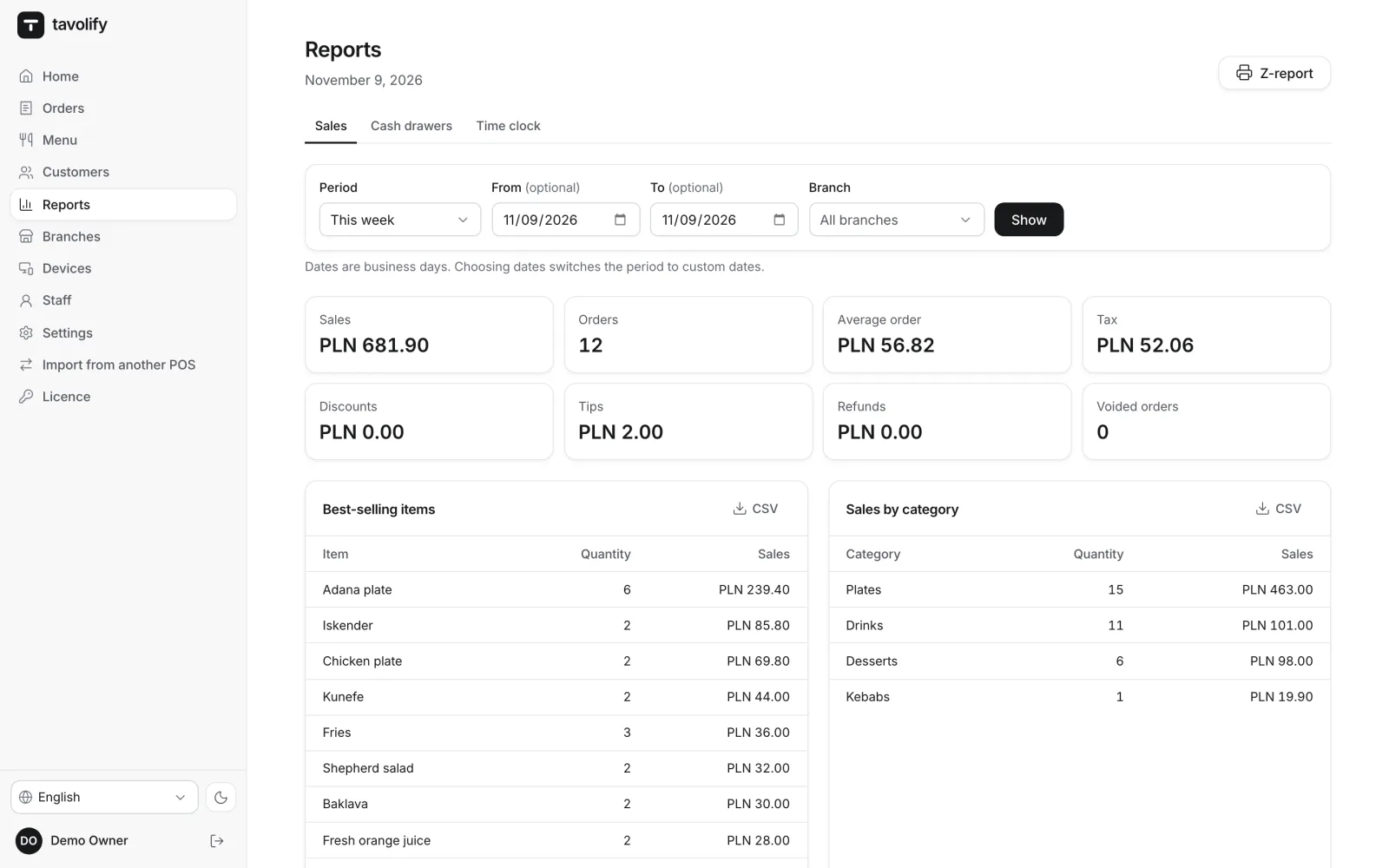
Reports show all branches together or the one you pick. The Z report and business days are counted per branch, in its own time zone.
- All branches together
- Branch filter
- Z report per location
- Own time zone
Each location its own way.
-
Address and hours
Each branch has its own address, opening hours, time zone and default company.
-
Roles per branch
The manager of one location does not manage another.
-
Devices per location
Tills, kitchen screens and order boards are paired with a specific branch.
-
An ordering page per location
Its own address, hours, delivery zones and minimum order.
-
Floor plan and QR codes
Rooms, tables and QR ordering codes for each branch.
-
Closing a location
An inactive branch keeps its history but takes no new orders.
Works well with
Run your venue on Tavolify this week.
Create an account, add your menu and connect your hardware. Or we show you the system with your own menu.
Free trial, no card needed.